 PC Games Full Version Download For FREE
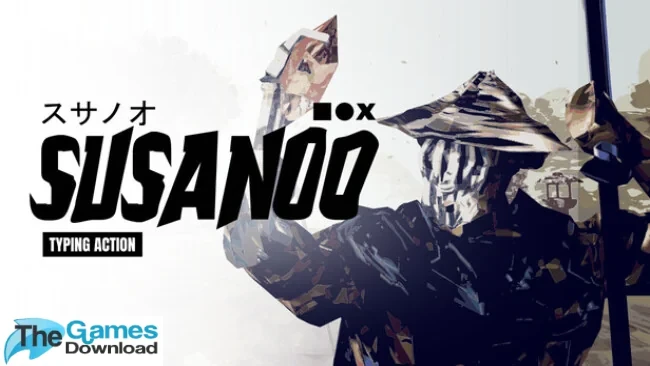
Susanoo: Typing Action – PC Game – Free – Direct Link – Torrent
Susanoo: Typing Action is a short, Sekiro-inspired typing game from solo developer Vincent Dgoat, where you defeat enemies by typing the words on screen and press Space at just the right moment to parry incoming strikes. You play Susanoo, a fallen god of Japanese mythology cursed for his arrogance and searching for redemption. It launched on Steam in late October 2026, has a tiny install size, and takes roughly two to three hours to finish.
Game Info
| Genre | Action/Indie |
| Developer | Vincent Dgoat |
| Publisher | Vincent Dgoat |
| Release Date | 29 Oct, 2026 |
| Modes | Single-player |
| Platforms | Microsoft Windows |
| Game Size | 224 MB |
Susanoo: Typing Action Gameplay
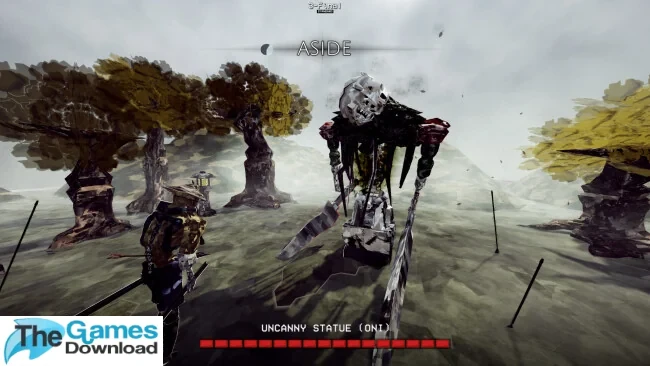
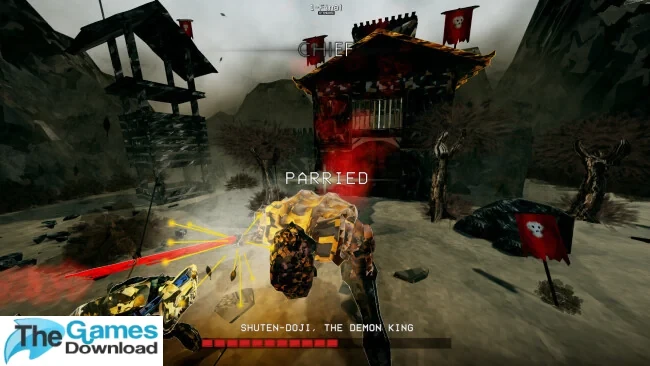
Most typing games are a race. You type faster, you win. Susanoo: Typing Action takes a different route and turns the keyboard into a sword. Every enemy has a word, and typing that word is how you slash. But enemies don’t stand still and wait their turn. They attack constantly, and when a strike comes in, you have to tap Space at the perfect moment to parry it. It’s the push and pull of a duel, just played with ten fingers.
That’s where the Sekiro influence shows. The developer says the game is heavily inspired by Sekiro and by the typing-combat game Glyphica, and you can feel it in the pacing. Fights are tense back-and-forths where rhythm, timing and decisions matter more than raw words-per-minute. A fast typist who panics will lose to a calm one who parries cleanly, so it rewards precision over speed. You’ll face waves of enemies and a run of boss fights, including figures from Japanese folklore like Shuten Doji and Sutoku Tenno.
The story is simple and fits the format. You play Susanoo, a fallen god cursed for his arrogance, who is now trying to redeem himself by protecting every soul he meets before the curse consumes him. It’s told with a solemn, mythic tone, with English text and Japanese voice acting.
It’s also a short game, and it says so itself. The developer notes you can beat it in about two to three hours, which makes it an easy evening’s challenge. The developer has already patched difficulty in the early days after launch, slowing down normal enemies, lengthening the cannon cooldown, making boss attack animations easier to read and making P-Rank easier to achieve. Early Steam reviews are too few to produce a score yet, but players have called out the original idea of mixing typing with parrying and the responsive feel of the controls.
Key Features
- Type words to attack and press Space to parry with precise timing.
- Sekiro-inspired duels that reward precision and rhythm over raw typing speed.
- A mythic story about a fallen god seeking redemption.
- Boss fights against figures from Japanese folklore.
- Japanese voice acting with English interface and subtitles.
- A short, focused experience of roughly 2-3 hours, with Steam Achievements.
Pros & Cons
| Pros | Cons |
|
|
ScreenShots
System Requirements
| Minimum | Recommended | |
| OS | Windows 10 | Windows 11 |
| CPU | 2.4 GHz Dual Core Processor or higher | 3.1 GHz Quad Core Processor or higher |
| Graphics | GeForce GTX 560 or equivalent | GeForce GTX 970 or equivalent |
| Memory | 4 GB RAM | 8 GB RAM |
| Storage | 500 MB available space | 4 GB available space |
| DirectX | 11 | 11 |
Frequently Asked Questions
Click Here
What is Susanoo: Typing Action?
It’s a short typing action game where you type words to attack enemies and press Space to parry their strikes with precise timing. It’s heavily inspired by Sekiro and Glyphica.
Is it hard?
It’s tagged as Difficult, but the developer has already adjusted balance by slowing normal enemies, making boss attacks easier to read and making P-Rank easier to reach.
Do I need to type fast?
Not necessarily. The game rewards precision, timing and decision-making over raw typing speed.
How long does it take to finish?
The developer says you can beat it in roughly two to three hours.
Is there a demo?
Yes, a demo was available on Steam before launch. Check the store page to see whether it’s still up.
What languages does it support?
English interface and subtitles, plus Japanese voice acting with Japanese subtitles.
Can my PC run it?
Very likely. The minimum is Windows 10 with a dual-core 2.4 GHz CPU, 4 GB of RAM, a GTX 560-class graphics card and 500 MB of storage.
Where to Buy
Click Here
Related Games
Click Here
Download Instructions
Click Here